Document & Archive Management
Every page in your archive, found by a single word inside it

The whole life of a correspondence — from the moment it arrives to its disposal once its retention ends
Registers the company's incoming, outgoing and internal correspondence with automatic numbering, keeps its scans and their extracted text through Arabic and English OCR so you can search inside them, routes, follows up and approves it, and records every action with who did it — on the company's own server, not an outside service.
Registration & numbering
Incoming, outgoing and internal, with types the company defines itself, and a directory of correspondents organised into groups. The reference is generated inside the database in its own sequence per type and fiscal year — ten staff saving in the same second get ten consecutive numbers, never two identical ones.
Attachments & scanning
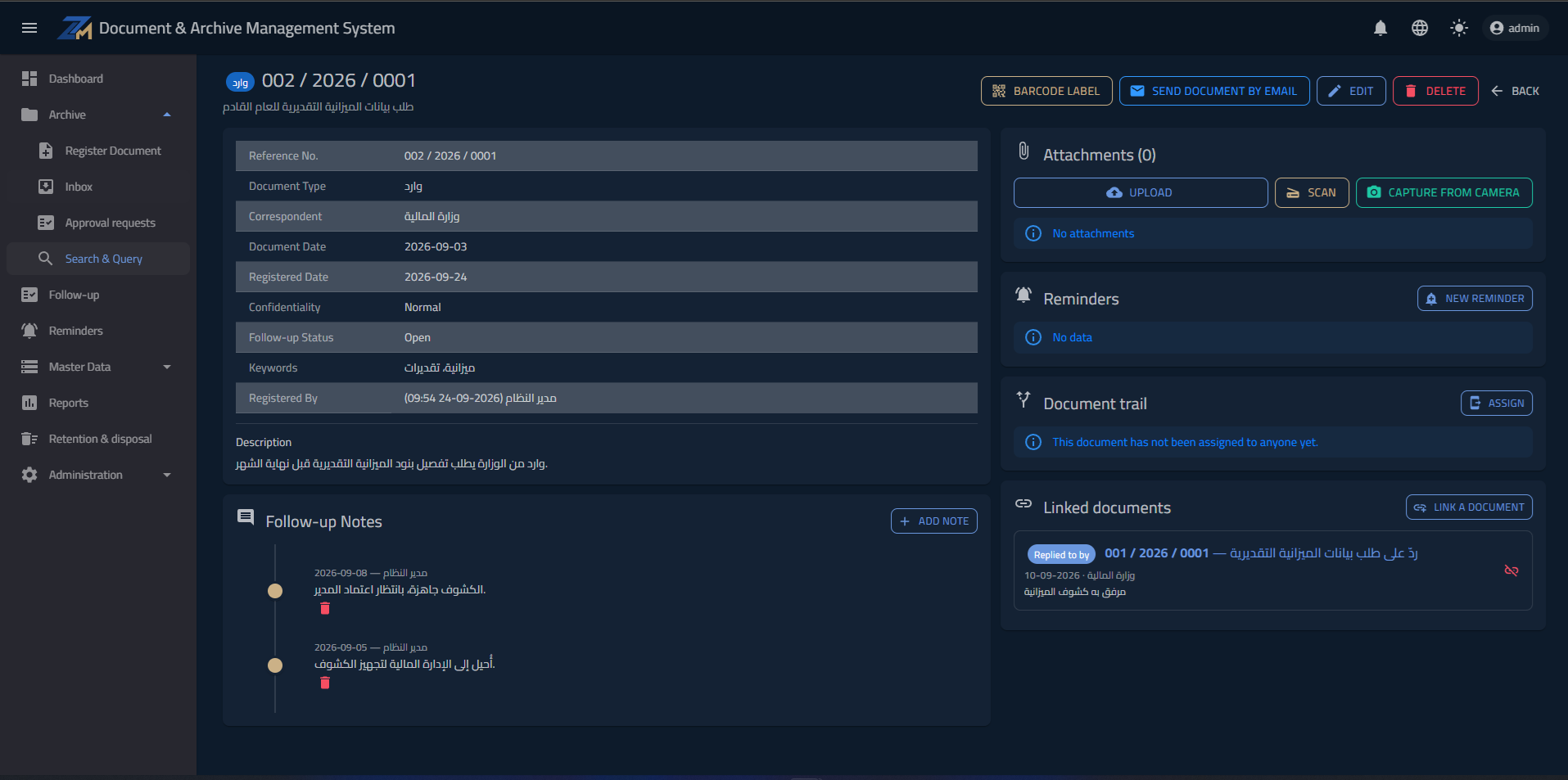
Upload from the device, scan straight from the scanner or capture with the camera, with successive versions of each attachment kept under the newest and never erased. Every attachment passes through Arabic and English OCR, and a scanned PDF with no text is turned into images and then read.
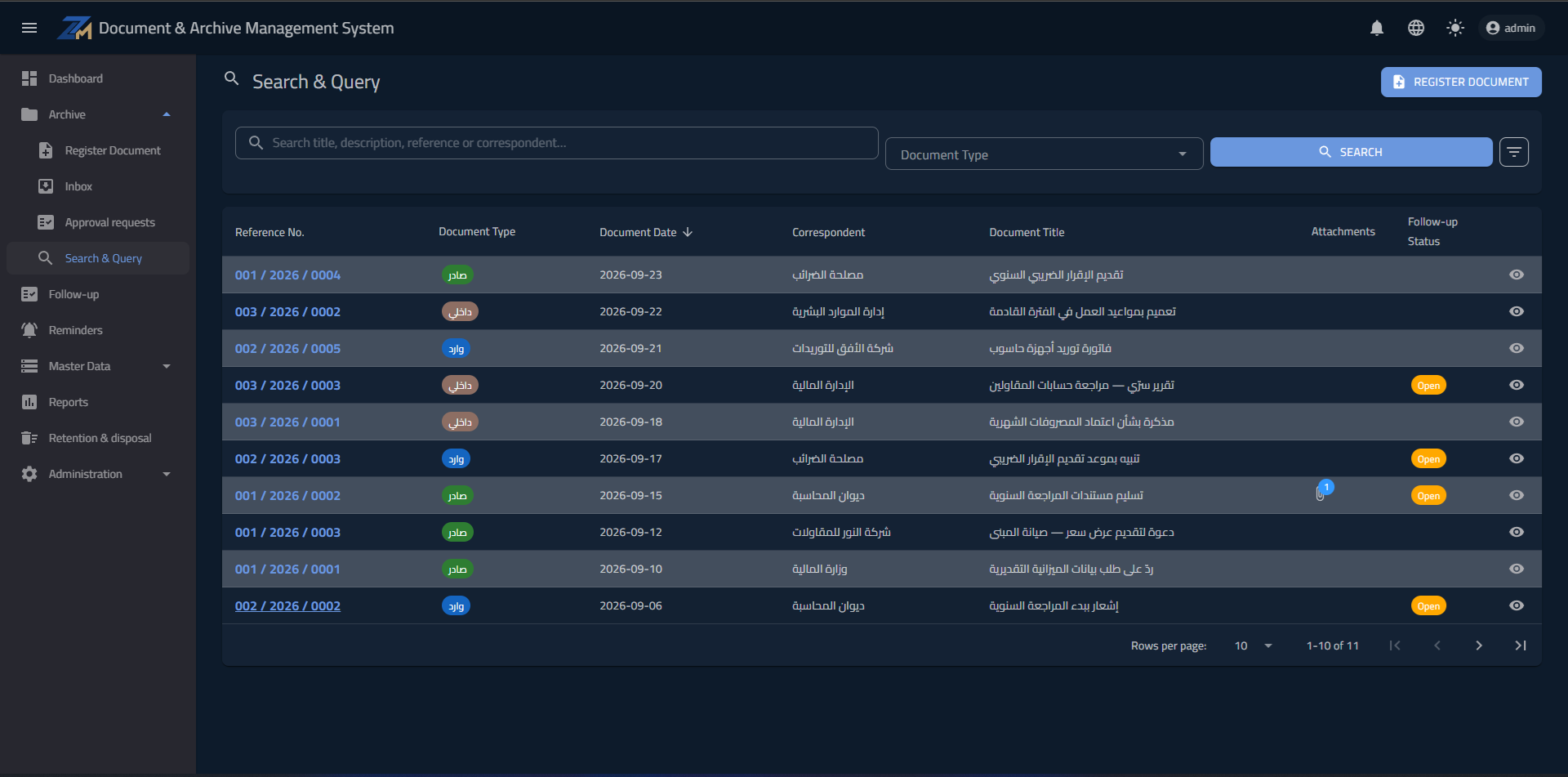
Search inside the text
Full-text search across the document's data and its attachments' extracted text, with Arabic analysis that knows a word's root — so a letter scanned in 2019 is found by a word in its body, not by its file name. Search runs on a full-text index, not a sequential scan: in an internal measurement over 30,000 documents, results came back in under a thousandth of a second, against about 2.7 seconds the conventional way.
Routing, follow-up & approval
Route a document to an employee, with an inbox for each, due dates and alerts in the system and by email, and an approval cycle for the types that require it. An incoming item is linked to its reply, and that link drives the average reply time on the dashboard.
Reports, printing & templates
A dashboard with charts, PDF and Excel export carrying the company's identity, QR labels for paper files that open the document with a phone scan, and letters generated from the company's own Word templates with the document's data.
Access, audit & retention
33 independent permissions assigned to roles, and a confidentiality level for each document. Every creation, edit, deletion, attachment opening and print is recorded with who and when, and deletion hides rather than erases, so a document can be restored. Retention policies per type, and a list of what has become due for disposal.
A server in your company — and not a page leaves its network
- A Windows server in the company with IIS and SQL Server — one package and a setup script, and database upgrades apply themselves at start-up.
- Just a browser on staff machines with nothing installed on them; the interface is Arabic and English and flips direction with one click.
- A small agent installed on the scanning machines only, working with WIA and TWAIN.
- Archive files live on a drive the company chooses, not inside the database — so backups are simpler and faster.
- It needs no internet connection to run, and uploads not a single page to an outside service.
- And because everything stays inside the company — the server, the database and the files — there is no monthly subscription per number of users, and no correspondence leaves the network.
Three steps, a few minutes
- 1Send your request
A one-minute form — or message us directly on WhatsApp.
- 2We get in touch
Within one business day: pricing and answers to your questions.
- 3We prepare and activate your copy
A full-feature trial copy for the agreed period, with guided first setup.
A question before you start? Talk to us
Inside the system