Visitor Management
From the civil ID card to a visitor badge in seconds

The visitor's journey from arrival to departure, in five steps
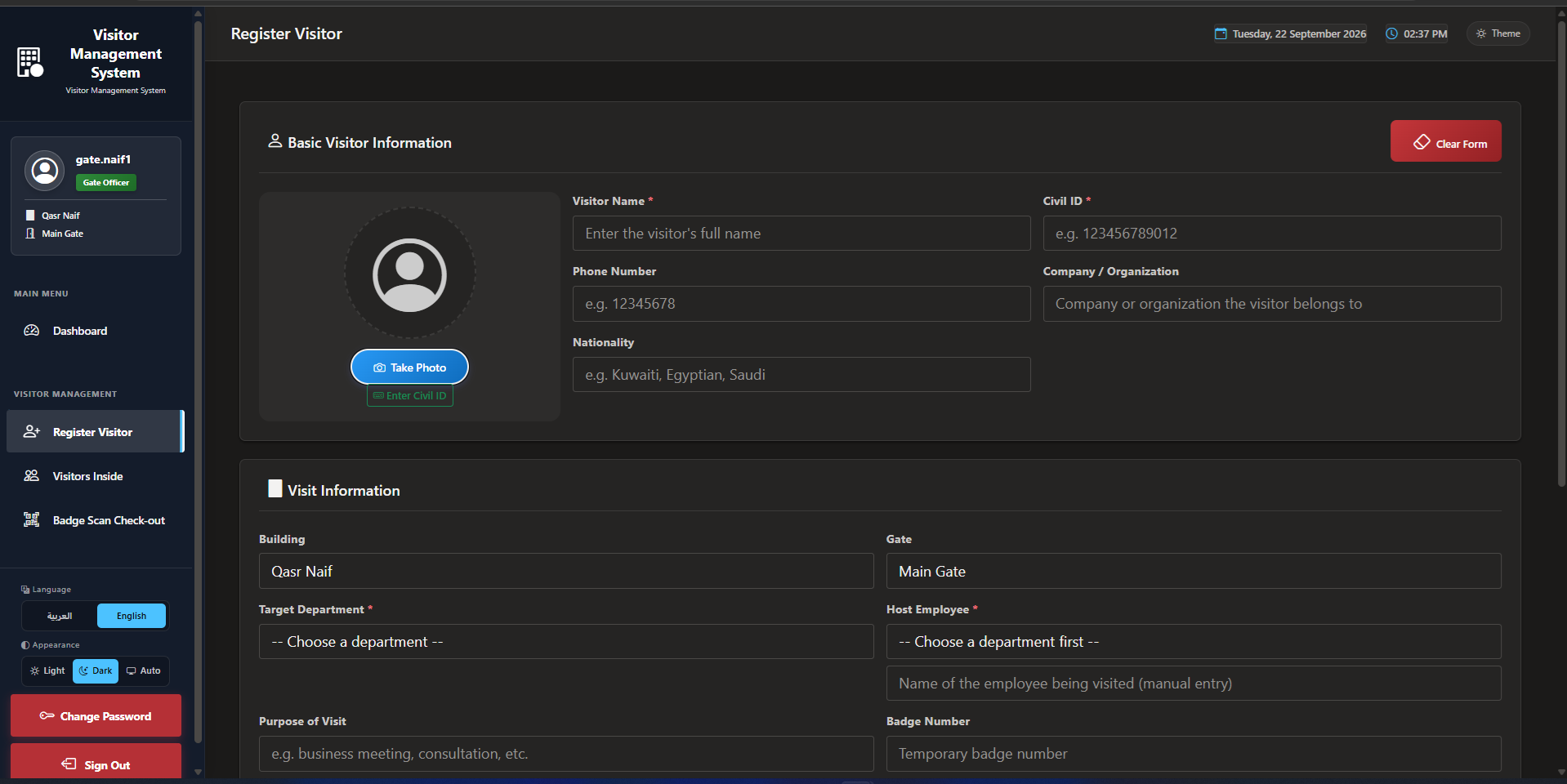
The system reads the Kuwaiti civil ID at the gate automatically, checks the number against the watch and block list, prints the visitor a QR badge, and records the exit with a single scan — with a live dashboard, reports and exports, four separately-scoped roles, and an audit trail for every action, in Arabic and English.
The visitor journey
The card is read and fields and photo fill themselves, then the check and pre-booking match, then the department and receiving employee, then the badge, then the exit scan — five steps in the order the system actually performs them.
Four identity sources
The civil-ID reader, the civil information service by number, reading the number with the camera, or manual entry — and a returning visitor's data and photo fill in from the last visit.
Watch & block list
The check runs on the server so the UI cannot bypass it, and it applies to walk-in registration and pre-booking alike. A block disables saving and is written to the audit log; a watch allows and records — and block outranks watch.
Dashboard & reports
Today's visitors, who is inside now, the month's total and per-building statistics, refreshed live; search filtered by date, building, gate, department and host; daily, weekly and monthly reports with Excel and PDF export in the user's language.
Roles & building isolation
Four separately-scoped roles: system admin, monitoring officer, building supervisor and gate officer — and the building restriction is enforced inside the server queries, not in the UI alone; the gate officer does not choose their building or gate.
Security & audit trail
Passwords hashed with PBKDF2-HMAC-SHA512, lockout after five attempts, a forced change on first sign-in, and CSRF-protected forms — plus an audit trail of every sign-in, registration, exit and edit with the device address, exportable.
Runs inside your network — and the card is read at the gate
- A Windows server in your network with SQL Server and IIS — the schema is managed by the application itself.
- At the gate: a civil-ID reader with a local Windows service that reads the card on that machine, not on the server.
- A badge printer at card size 90 × 60 mm, and a barcode scanner to record exits by scanning the badge.
- Your own mail server or an SMS gateway to notify the receiving employee (optional).
- A modern browser on gate and supervisor machines — Arabic and English, light and dark.
Three steps, a few minutes
- 1Send your request
A one-minute form — or message us directly on WhatsApp.
- 2We get in touch
Within one business day: pricing and answers to your questions.
- 3We prepare and activate your copy
A full-feature trial copy for the agreed period, with guided first setup.
A question before you start? Talk to us
Inside the system